How to Enable Client Collaborators
Note: This setting is available exclusively on the Senior Place Premium plan, and only account administrators can make these changes.
There may be times when you want to share ownership of a client without changing the user a client is assigned to. Adding a user as a collaborator on a client profile makes this possible. To enable this feature for your team, just follow the simple steps below:
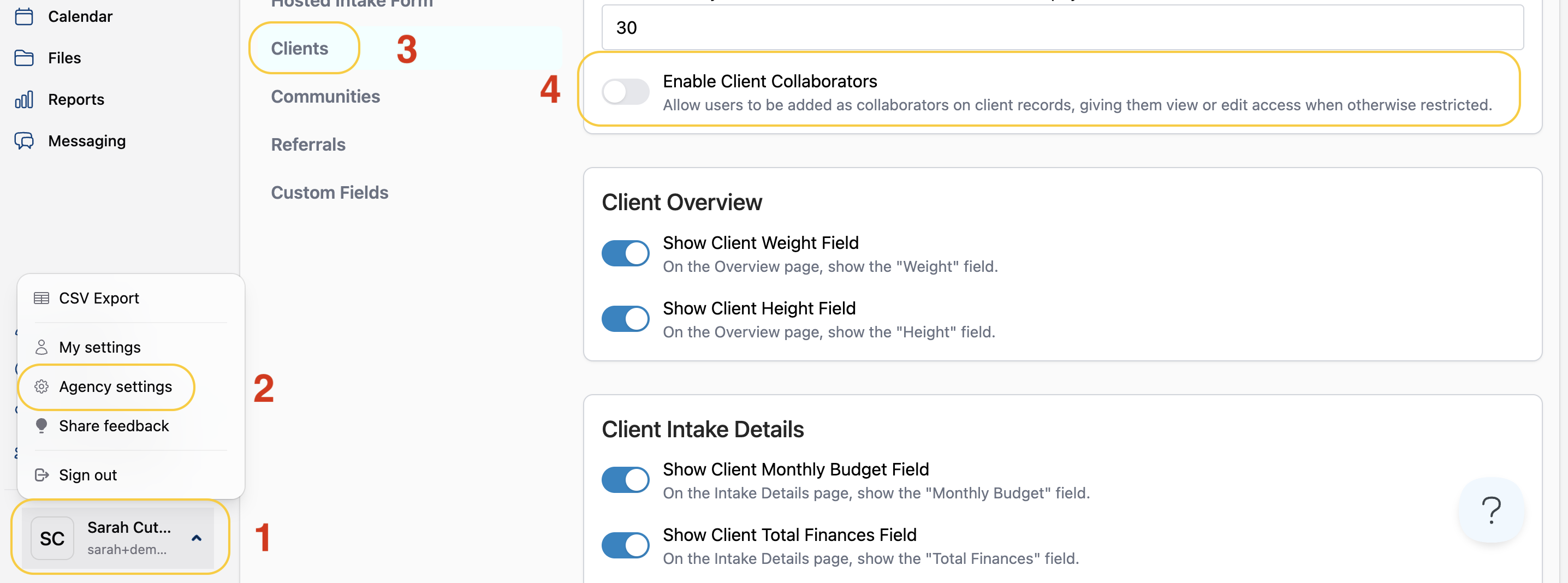
- Navigate to the profile menu
- Select Agency settings
- Click Clients
- Toggle the Enable Client Collaborators option
Have more questions? Feel free to reach out to us at support@seniorplace.com!