How to Request and View Community Pricing Information
Note: There are two separate workflows for requesting community information—one for availability and one for pricing—but both lead to similar outcomes. Requesting pricing not only gathers the community's pricing information but also gives them a chance to submit availability information.
When finding ideal communities for your client, having up-to-date pricing information can save you precious time and prevent you from needing to call or text facilities every time you're working with a new client.
This tutorial walks through how to request and view pricing information as you're working in Senior Place.
If you'd also like to see exactly what a community contact sees when they receive and submit a request, simply navigate here.
Request Pricing Information
Note: You can only request pricing information for communities Senior Place has added to your database. At this time you aren't able to request pricing for communities that you add manually.
This process only needs to be completed once by a Senior Place user to enroll the community in providing pricing. If pricing data is already being provided, you can skip requesting pricing and learn how to view pricing information instead.
1) Request Pricing Information
Pricing information can be requested from within the Community profile, by navigating to the Insights tab and looking for the Pricing section. Within that section, you'll notice a Request Pricing button if the community isn't yet providing pricing information.
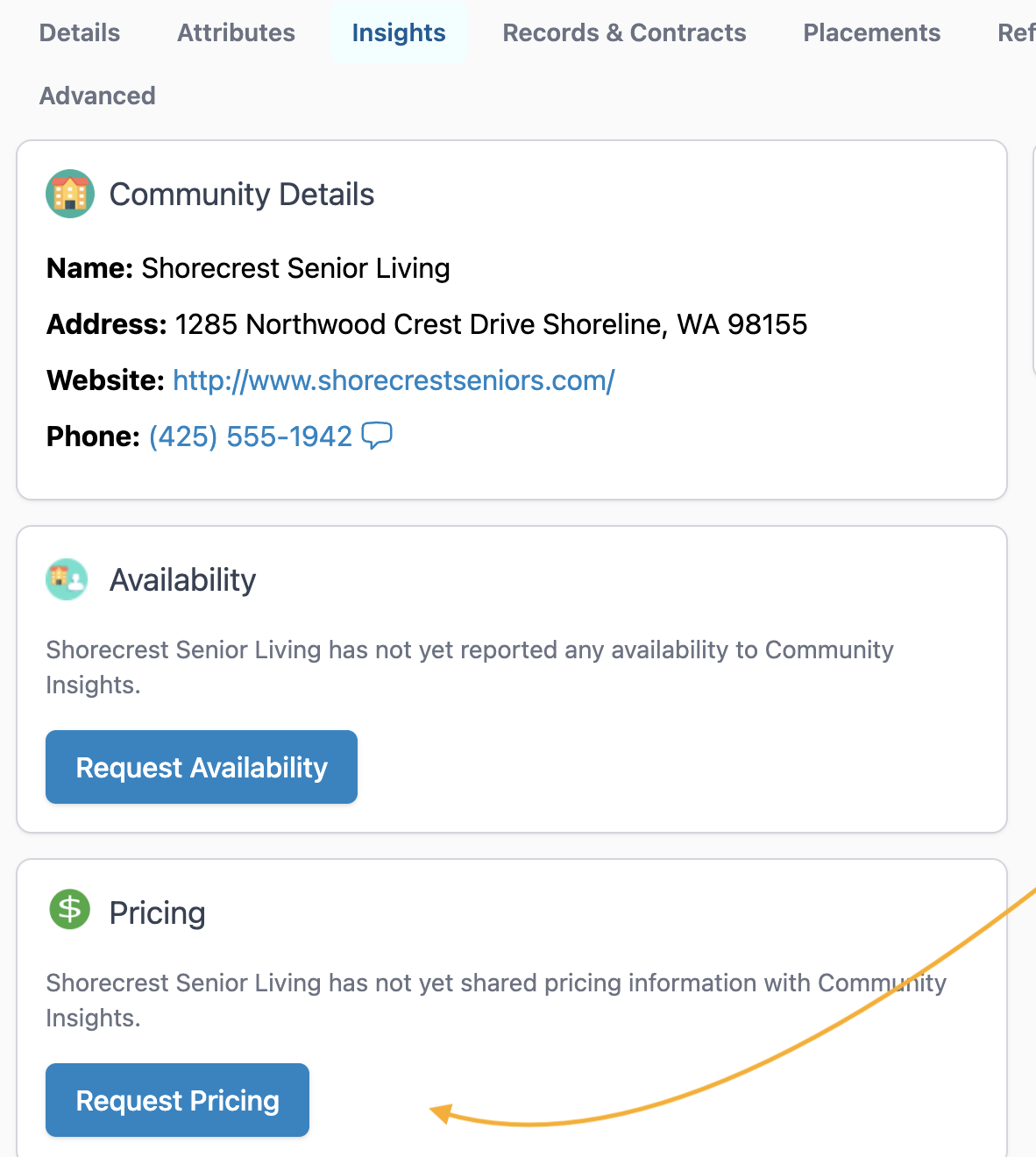
2) Send Pricing Request
After clicking Request Pricing, proceed by customizing and sending the pricing request email to the relevant community contacts:
- Edit recipients (optional)
- BCC yourself (optional)
- Edit the email subject and body (optional)
- Click Send

Once the request is sent, you'll be able to see the email in the Community's Messages tab.
At this point, the recipient will be able to provide pricing data and will also be prompted to provide updates on a weekly basis.
View Pricing Information
Once a community has enrolled in providing pricing, they'll be prompted to update that information on a weekly basis, and you can always view the current information in the Community profile by navigating to the Insights tab and looking for the Pricing section. Within that section, you'll notice the community's price range along with any additional notes and when the last update took place.

Have more questions? Feel free to reach out to us at support@seniorplace.com!